Transaction list
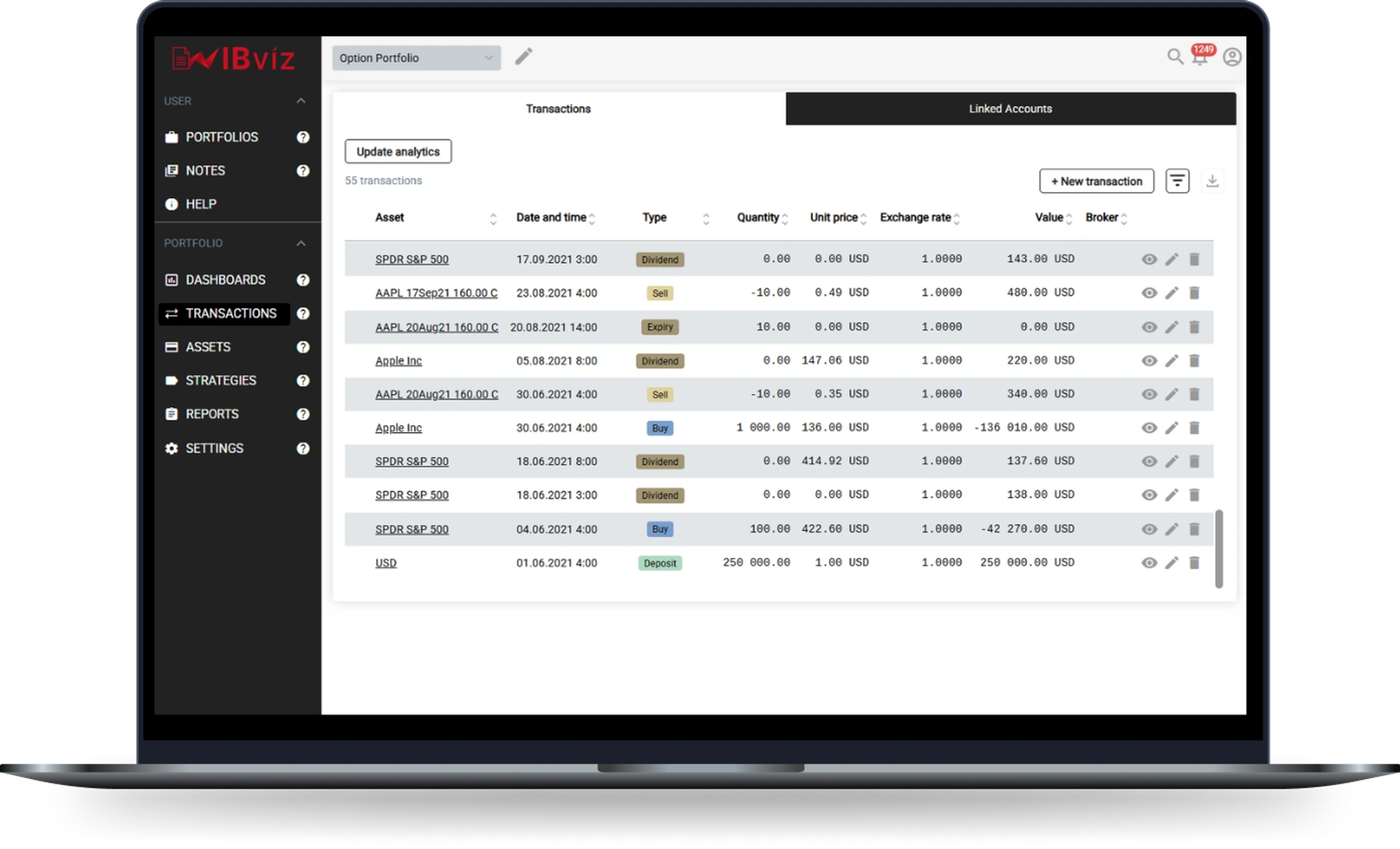
IBviz gives you access to your complete transaction history imported from Interactive Brokers, presented as a structured, sortable, and filterable table. Every event that has ever affected your portfolio is recorded here.
What is included
The trade list covers every transaction type that IBKR reports through its data feed:
- Trades: buys and sells across all asset classes, including stocks, ETFs, options, futures, CFDs, bonds, and event contracts.
- Dividends and interest: cash distributions received from holdings, as well as interest earned on cash balances.
- Fees: transaction commissions, market data subscriptions, and any other charges applied by IBKR.
- Withholding taxes: taxes deducted at source on dividends from foreign securities.
- Deposits and withdrawals: all capital movements in and out of your account.
- Corporate actions: stock splits, reverse splits, mergers, spin-offs, and other structural events that affect your holdings.
Sorting
Click any column header to sort the table by that field in ascending or descending order. Sorting works across all visible rows, so you can instantly surface your largest trades, most recent transactions, or highest-fee events.
Filtering
The filter bar lets you narrow the list along multiple dimensions simultaneously:
- Date range: restrict the view to any custom period, or pick from presets such as this month, this year, or inception-to-date.
- Asset: show only transactions involving a specific security or instrument.
- Transaction type: isolate trades, dividends, fees, taxes, deposits, withdrawals, or corporate actions.
- Strategy / tag: filter by the tags you have assigned to your positions, so you can review activity within a specific sub-portfolio or strategy.
- Account: if you have connected multiple IBKR accounts, filter the list to a single account or view all combined.
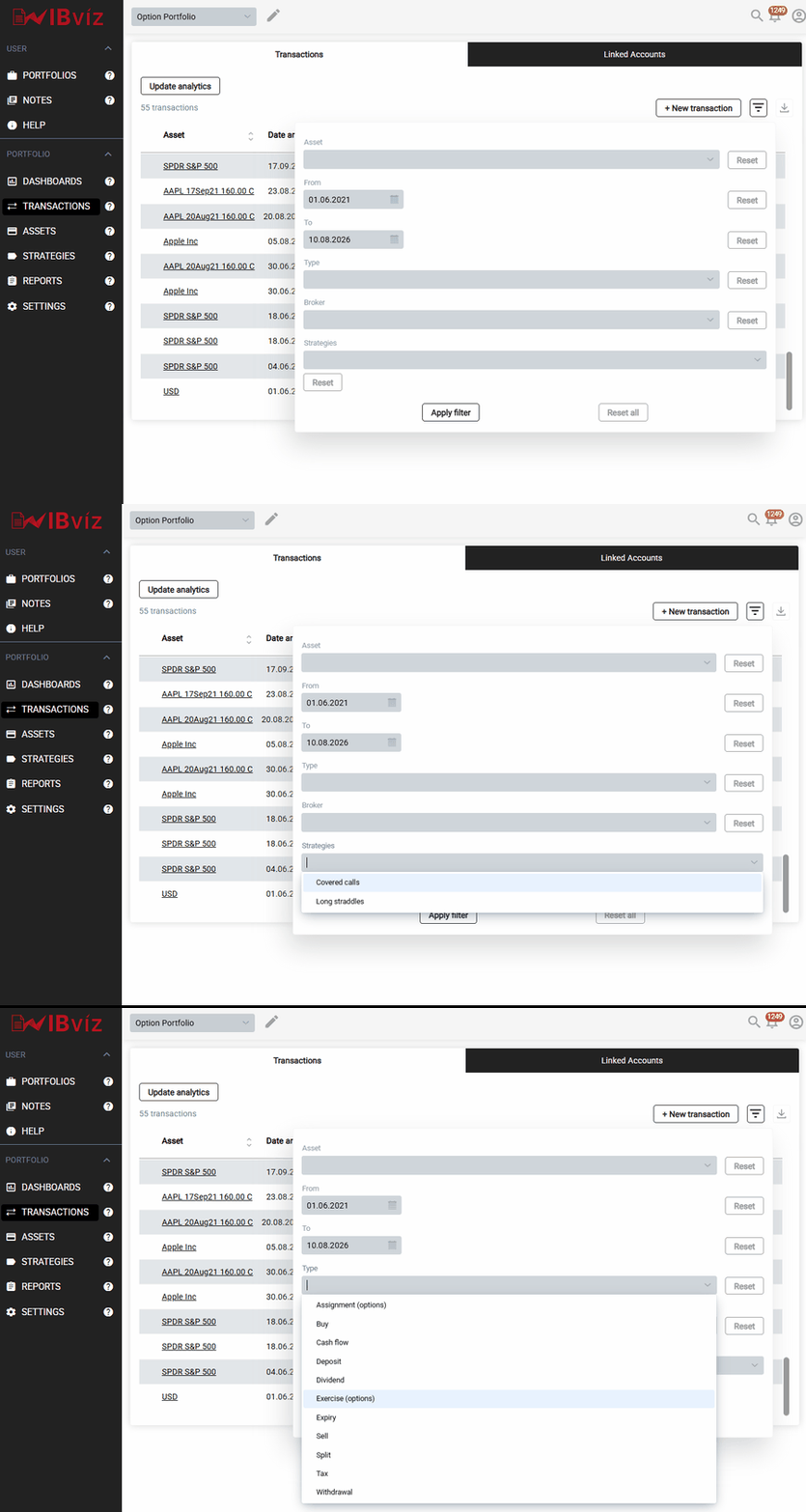
Filters can be combined freely. For example, you can display only dividend payments received from a specific asset during the current year, or all fees charged across all accounts since inception.
Why it matters
Most portfolio tools surface only aggregated figures. The trade list gives you the underlying data behind every chart in IBviz. When a performance metric looks unexpected, the trade list is the place to verify what actually happened: check whether a dividend was recorded on the right date, confirm the exact execution price of a trade, or identify a fee that is larger than expected. It is also the fastest way to spot data gaps or anomalies before they propagate into your analytics.